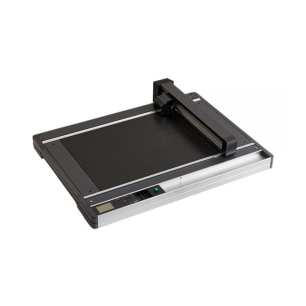
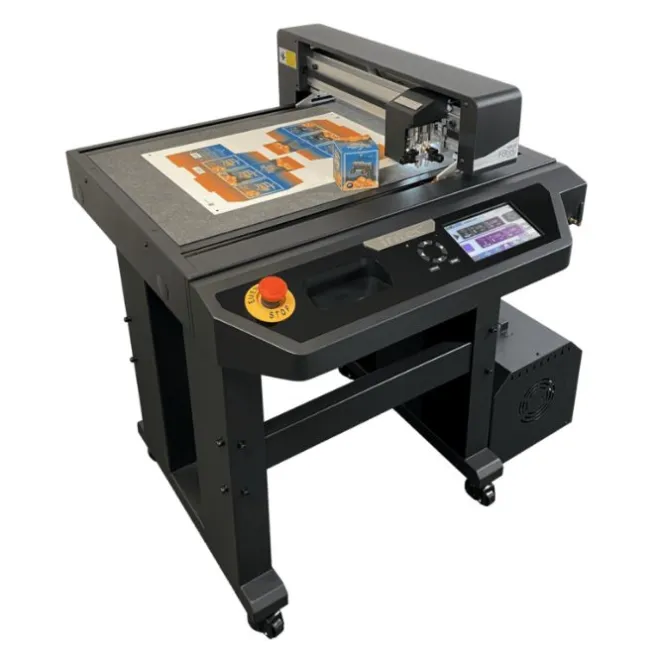
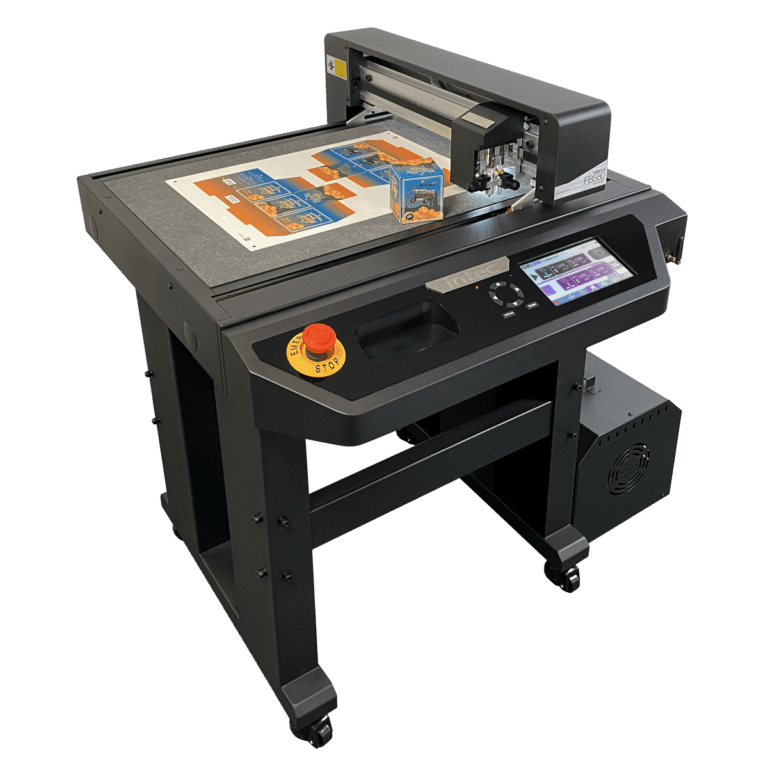
Intec ColorCut FB580 SRA3 Digital Flatbed Cutter and Creaser

- Free shipping from 300 €*
- Quick shipping in the whole world
- Certified technical service Quick support
- Custom advices & quotes Secured payment
FB580
Your printer produces sheets; the ColorCut FB580 turns them into boxes, labels and POS displays, with no cutting die and no outsourcing.
- Cut and crease in one pass: blade and ball creaser on the same head, 1.2 kg of pressure.
- No more wrong files: the camera reads the QR code on each sheet and loads the right cut path.
- Profitable from the first copy: prototypes, mock-ups, short runs and variable data.
- Stay in Illustrator or CorelDRAW: ColorCut Pro 5 software is included.
More info
Cutting and creasing · SRA3
Your printed sheets become boxes, labels and POS
Cutting, creasing, perforating and kiss-cutting on an SRA3 table, with no cutting die and no outsourcing delays.
Designed in the UK by Intec, supplied with ColorCut Pro 5 software.
340 × 480 mm
effective cutting area
1,200 mm/s
top speed
1.2 kg
cutting and creasing pressure
± 125 µm
position accuracy
On this page
Key strengths Applications How it works Tools and accessories Specifications Why Digital-sysRequest a quote
Four reasons to cut in-house
On 340 × 480 mm, the FB580 brings together what you expect from a production cutting table.
![FB580 dual tool head: blade and creasing wheel]() Two tools, one pass
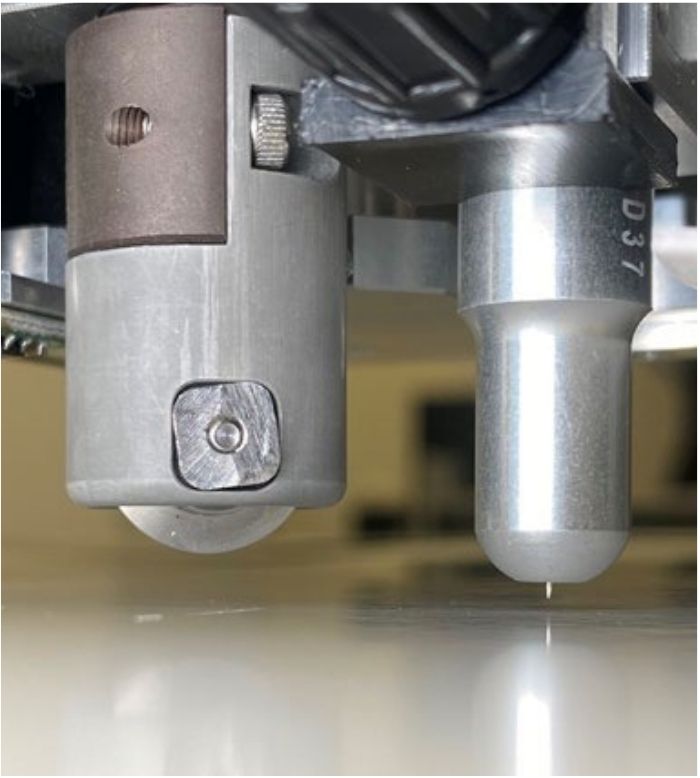 Two tools, one pass
Blade and ball creaser on the same head: cutting, creasing, perforating and kiss-cutting.
![QR code and registration marks read by the camera]() The right file, without looking for it
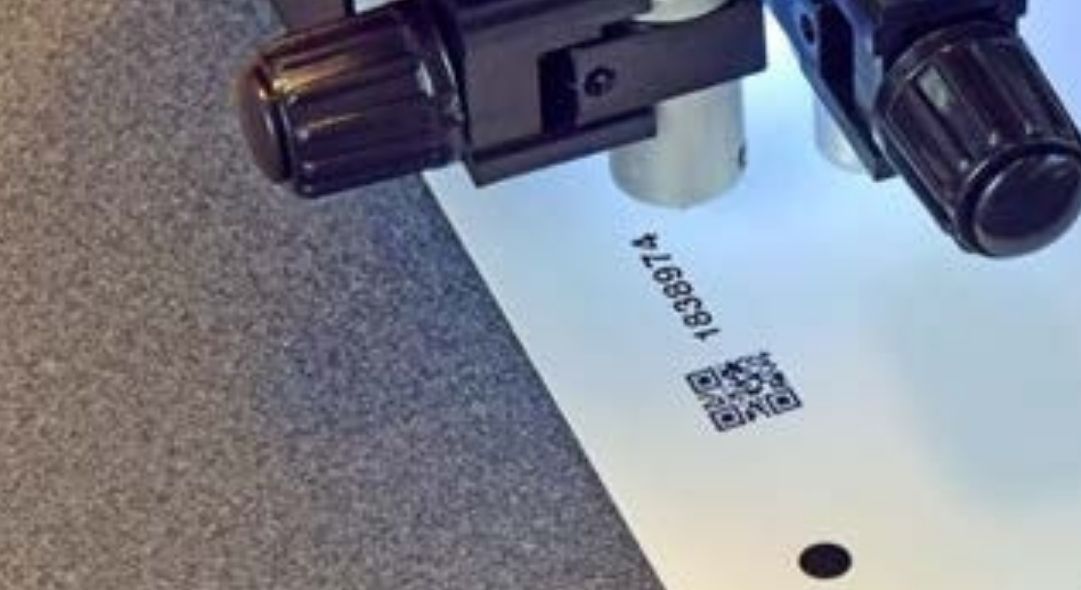 The right file, without looking for it
The camera reads the QR code on every sheet and loads the cut path, even for mixed jobs.
![Cut and creased box on the FB580 vacuum bed]() Crease from the back
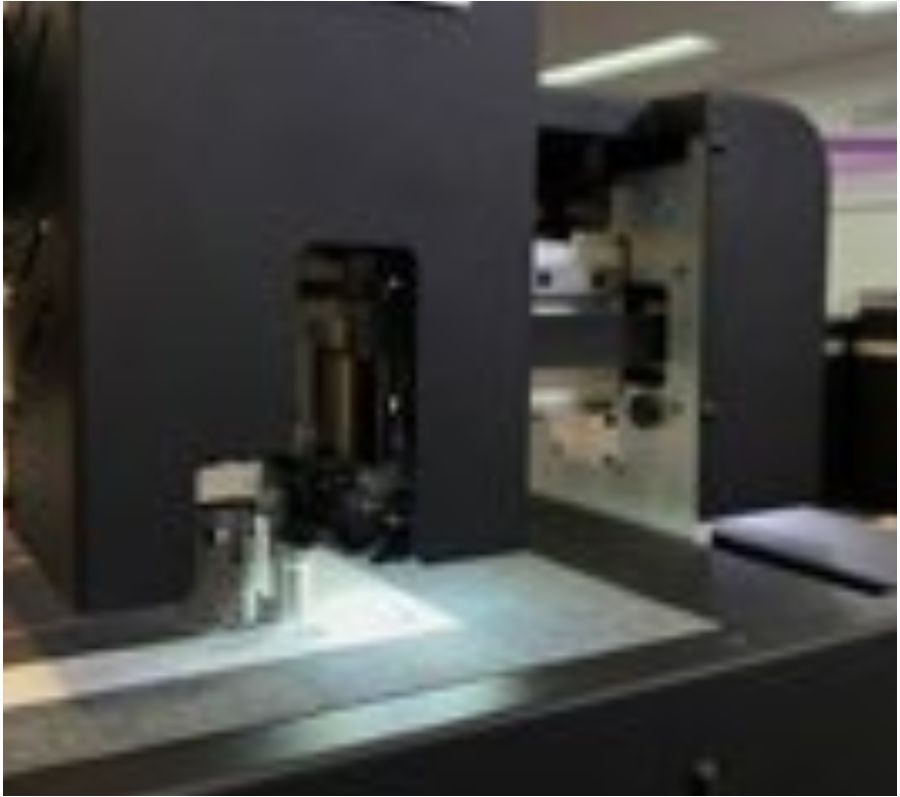 Crease from the back
The marks are read on the front; flip the sheet and the FB580 creases from the back.
![USB drive in the FB580 for No Wires mode]() No PC connected
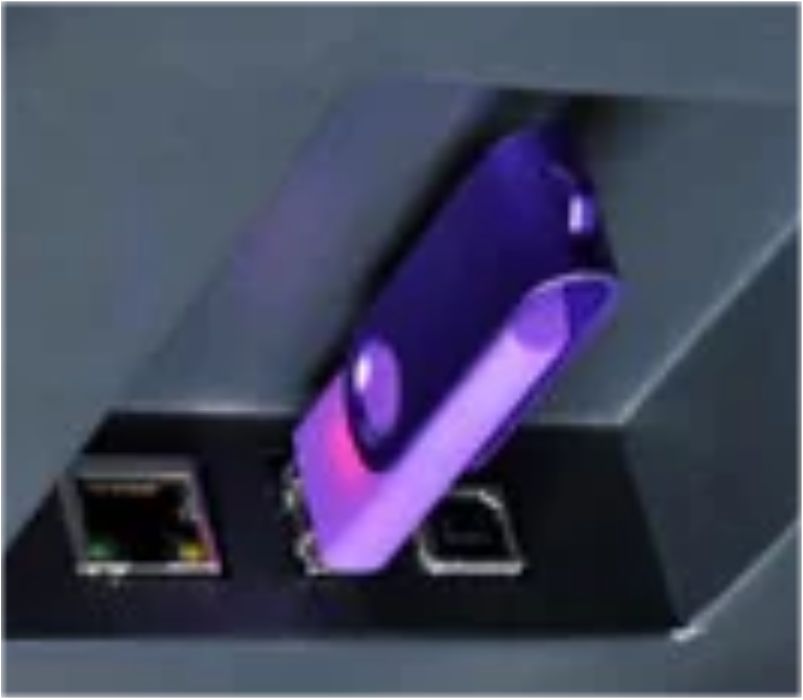 No PC connected
“No Wires” mode: jobs run from a USB drive and the touch screen.
What your customers will order
Four families of jobs, each with the Digital-sys products that make it possible.
Packaging and prototypes
A box mock-up approved the same day, then 20 or 200 copies with no cutting die.
Made with: OKI Pro9431E · Invercote G board
Kiss-cut labels
The green self-healing mat cuts labels to shape without going through the liner.
Made with: Vulcan Labelstock SRA3 · optional 2nd blade holder

POS and synthetics
Door hangers, table tents, shelf labels, vinyls and magnetic media.
Made with: OKI Pro9541E (white or clear)
Foiled cards and cartons
After foiling on a ColorFlare, the FB580 gives the final shape.
Made with: foiling films · Intec ColorFlare 400
From file to finished piece, in four steps
With ColorCut Pro 5, cutting is prepared in the software your designers already use.
✎︎STEP 1 →
You design
In Illustrator or CorelDRAW; the plug-in adds registration marks and a QR code.
⎙︎STEP 2 →
You print
On your sheet-fed printer, for example an OKI Pro9431E.
▣STEP 3 →
You scan
The Vision3 camera reads the QR code and loads the right cut path.
✂︎STEP 4
The FB580 cuts
Scale and skew corrected: the cut lands exactly where it should.
Our experts’ advice
A clean fold on board, thanks to creasing from the back!
Creasing from the reverse gives a clean fold without cracking the print. For cartons, choose a multi-ply board such as Invercote G: it folds without breaking.
Corrugated board? The T range takes over!
For corrugated board up to 3 mm, the ColorCut FB790T and FB1190T add a tangential tool. We point you to the right model based on your media.
Format and speed at a glance
The format, to scale
440 × 580 mm maximum media size
340 × 480 mm effective cutting area
320 × 450 mm an SRA3 sheet, for comparison
A full SRA3 sheet fits inside the effective area, margins included.
Three speeds, depending on detail
High-definition mode 750 mm/s
Standard mode 960 mm/s
Fast mode 1,200 mm/s
Cutting thickness
Paper and folding board 600 µm
Low-density media 800 µm
Tools and accessories
What comes with the FB580, what you can add, and what completes your workshop.
Included
Blade, blades and creasing wheel
Passive blade, 30°, 45° and 60° blades, ball creasing wheel.
Included
Two mats
Grey felt for cutting and creasing, green self-healing for kiss-cutting.
Option
2nd blade holder
Replaces the creasing wheel: cut-through and kiss-cut in the same pass.
Option
Vacuum silencer
A quieter workshop around the 400 W vacuum bed.
Complete your workshop
OKI Pro9431E printer
The SRA3 printer that feeds the FB580.
OKI Pro9541E printer
White or clear 5th colour for POS.
Vulcan Labelstock SRA3 self-adhesive paper
For kiss-cut labels.
Lamination films and foils
To personalise before cutting.
All our finishing machines
Cutting, laminating, foiling.
Which ColorCut for your production?
Entry level · SRA3
ColorCut FB580
Manual feed, blade and creasing wheel, folding board up to 600 µm.
Large format · B2
ColorCut FB790T
Sheets up to 580 × 800 mm, tangential tool, corrugated board up to 3 mm.
Automatic · SRA3+
ColorCut SC7100 Pro-T
1,000-sheet feeder: production runs unattended.
Key specifications
What matters for cutting and finishing. Source: Intec FB580 brochure (2024).
| Maximum media size | 440 × 580 mm (A4, A3, SRA3, A3+) |
| Effective cutting area | 340 × 480 mm |
| Thickness | 600 µm; 800 µm on low-density media |
| Media | folding board, paper, synthetics, labels, vinyls, magnetic |
| Tool head | dual: passive blade + ball creaser |
| Pressure | 1.2 kg |
| Speed | 750 · 960 · 1,200 mm/s |
| Accuracy | ± 125 µm |
| Registration | Vision3 CCD camera, QR code |
| Software included | ColorCut Pro 5 (Illustrator, CorelDRAW) |
7-inch touch-screen control. Full data sheet on request: dimensions, power supply and options.
Why choose Digital-sys?
A machine has to be chosen, installed and mastered: we stay by your side at every step.
Advice before you buy
FB580, T range or SC: the model chosen according to your media and volumes.
Installation and onboarding
Machine set up, plug-in installed, first files cut with you.
ColorCut Pro training
QR codes, cut by colour, Template Maker.
Local support
Blades, mats and papers in stock, and a team that knows the whole chain.
Your boxes and labels, cut in-house
Tell us about your media and volumes: we will propose the right ColorCut configuration and a quote.
Photos are not contractual.
Reviews
You must log in to give a review
1 other product in the same category: