Switch to Color Prime’s Chroma DTF inks A simple task that you can do yourself.
Published on 19 sep 2026
Reading time:6 minutes
● ● ● How-to guide — ink conversion
About an hour, equipment you already own, four colour lines to change. Neither your white lines, nor your RIP, nor your films are affected.
You have read what Chroma ink brings. That leaves the real question, the one that makes people hesitate: do you need a technician to switch inks? No. Here is exactly how to proceed.
~1 hr
Duration of the operation
4
Lines to convert
0
RIP changes
+10 %
More colour gamut
Three minutes of recap, then straight to the practice
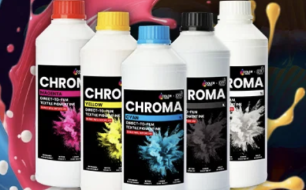
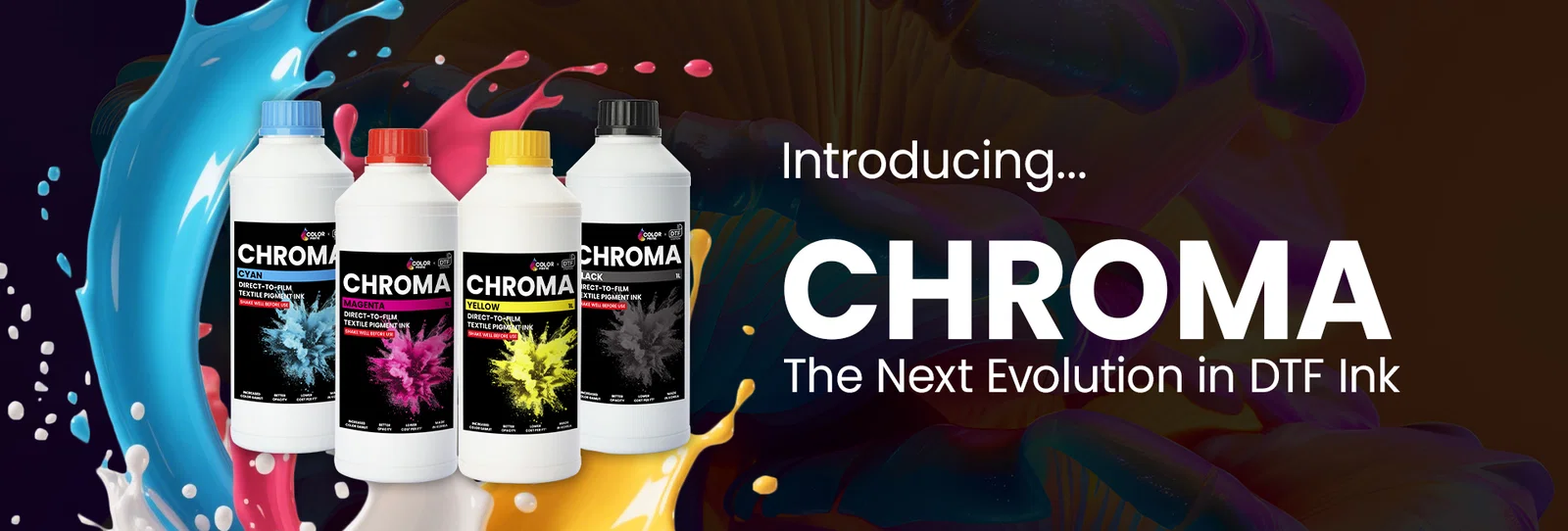
For those discovering it: Color Prime Chroma is DTF Station's new generation of CMYK ink.
+10 % gamut — DigiRIP measurement at 385,476 against 327,924. Deep blues, saturated reds and greens gain the most.
Pantone accuracy 9/10 against 8/10 — a mandatory client logo comes out right, not "almost".
Fewer clogged nozzles — more finely ground pigments, less sedimentation, fewer cleaning cycles.
Made in South Korea, OEKO-TEX® compliance, SGS certification — and compatible with most DTF printers on the market.
The full detail is in our introductory article. Here, we are only talking about the conversion.
First, what the conversion does not change
This is the point that reassures most of our customers, and it is rarely said clearly.
✓
Your white does not change
Chroma exists in CMYK only. The white remains the Color Prime Standard White you already use, and both formulas coexist without any problem in the same machine.
✓
Your RIP does not change
No software migration, no reinstallation. You stay on Digital Factory, neoStampa or whatever you use today. Only the ICC profiles need to be added.
✓
Your films do not change
Chroma works with all quality PET films — cold peel, hot peel or instant peel.
The result: you convert four colour lines. Nothing else.
| Your machine | Lines to convert | Do not touch |
|---|---|---|
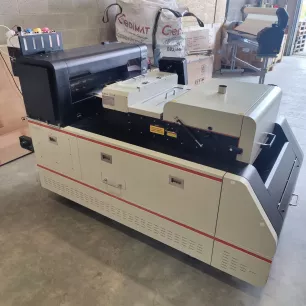
| Prestige R2 Pro | C · M · Y · K | White (×1) |
| Prestige XL2 Pro / XL3 | C · M · Y · K (+ OVLcLm/RGBO depending on config) | White (×1) |
| Prestige XL2 / XL4 | C · M · Y · K | White (×1 / x2) |
● ● ● Your shopping list
What you need
Four items, and that's all. Order them in one go: finding out mid-drain that the cleaning sticks are missing costs you an afternoon.
01
Color Prime Chroma CMYK inks
1 L bottles. The four colours to install — white does not need to be ordered.
02
Conversion kit
Everything needed for the operation, gathered under a single part number.
03
DTF cleaning fluid
1 L can. The fluid to use on the print head, the capping station and the wiper.
04
Cleaning sticks
Box of 50, lint-free. Essential for the capping station and the wiper blade.
The conversion, step by step
The whole procedure is filmed by DTF Station, every single action on a real machine. Watch it through once before you start.
Before you start — 10 minutes of preparation
Take the bottles out the day before: the ink must be at room temperature, between 15 and 25 °C. Cold ink primes badly.
Lay out on your work surface: the DTF cleaning fluid, the cleaning sticks, lint-free wipes, gloves, a drain container and absorbent paper.
Finally, print a nozzle check and photograph it. It is your point of comparison — and, should there be a problem, the proof that your machine was healthy to begin with. Thirty seconds that can spare you an awkward discussion.
01Drain the colours
Empty the CMYK tanks only, then purge the colour lines. Go all the way: a tank bottom left half-drained means two formulas mixing in a line you believe is clean.
Your white lines stay loaded. Do not purge them.
02Clean — this is the step that decides everything
Three parts, in this order: the print head, the capping station, the wiper blade.
Use the DTF cleaning fluid and the lint-free sticks. No alcohol, no glass cleaner, no chemist's cotton buds: the fibres stay caught and end up in your nozzles.
This is where the success of the conversion is decided. Spend ten minutes more on it rather than ten minutes less.
Follow our DTF cleaning guide in PDF format.
03Fill and prime
Fill the CMYK tanks with Chroma ink, then prime the circuit until the new ink comes through clearly at the end of the line.
04Clean the head, one to three times
Run a head cleaning cycle. Then a second one if necessary. Three at most.
05Validate with a nozzle check
Print a nozzle check. As long as it is not 100 % clean, the machine is not ready.
If three additional cycles are not enough: stop and call us. Running cleaning after cleaning on a blocked line does not unblock it — it wears out the pump and empties your tanks.
06Install the ICC profiles
Last step, and it counts: install the Chroma ICC profiles in your RIP. Your software does not change, but printing a new ink with the old one's settings amounts to paying for the wider gamut without ever using it.
The profiles are available for Digital Factory and neoStampa. We send them to you with your order, or simply on request.
The three mistakes that ruin a conversion
They come up every single time. They are all avoidable.
1. Cleaning the capping station too quickly. That is where the humectant residues from the old formula sit. Badly cleaned, it recontaminates the new ink from the very first cycle — and the nozzle check stays dirty without anyone understanding why.
2. Using a generic cleaner. Alcohol, demineralised water, another brand's product: the formulations are not compatible and some attack the seals.
3. Running cycle after cycle on a line that will not come back. Beyond six cycles, the ink is no longer the problem. A five-minute phone call costs less than a print head.
Would you rather leave it to us?
That is possible, and it is a fair choice if your machine runs back-to-back. Our technicians work on site and only hand the machine back with a clean nozzle check and a control print validated with you.
We will simply ask you to prove that your machine is in good health before the intervention: a recent nozzle check, photos of the capping station and the wiper, a short video of the carriage in motion.
Please note: an intervention intended to make up for a conversion you carried out yourself and got wrong will be invoiced at the current rate.
A question? Ask it.
A doubt about your configuration, your media, the right moment: we answer everything, including the questions that lead to no order at all.
Digital-sys SRL
Photos are non-contractual.